

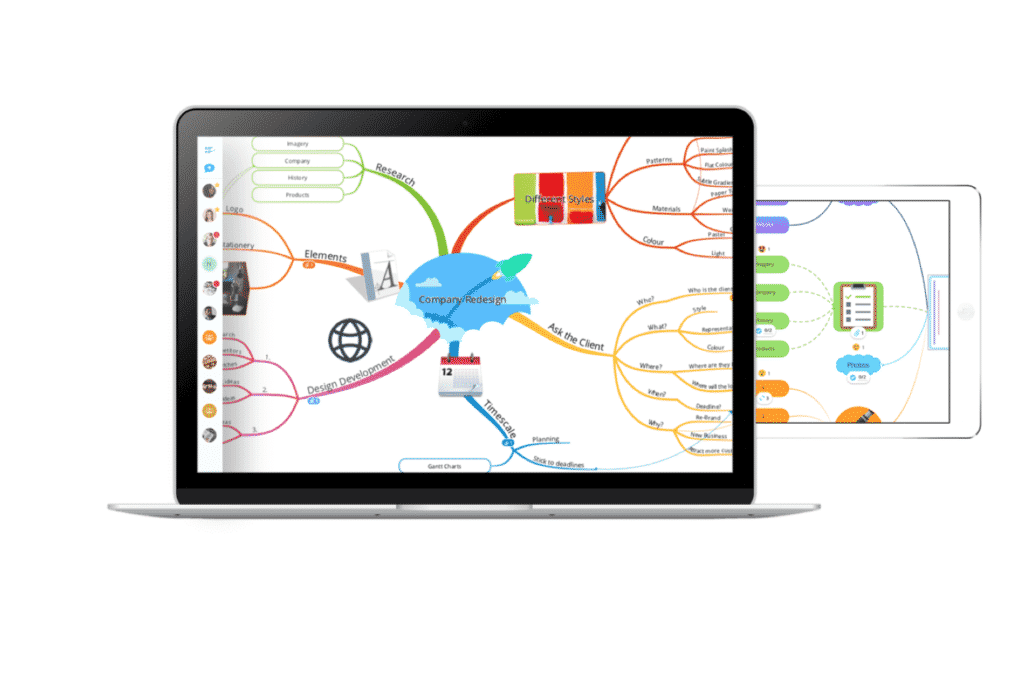
Easy Steps To Drawing A Concept Map
A concept map is a visual diagram that graphically represents relationships between concepts and ideas that keep flowing in your mind and without putting them into paper, they mess up your mind and you are left with topsy-turvy, chaotic, and disorganized thoughts that you can’t put into action. With the help of concept map maker, you can easily organize the information and connect related ideas to form a bigger picture that you can present to others as well more effectively. This guide covers the steps that will assist you in making the concept map.
- Put your main idea, whether it’s a question, phrase, or merely a word in the center of the page so that you can make branches out of it surrounding the main topic.
- Begin with the main idea for example: “how does an electrical conductor work?”
- Write related and relevant concepts to make sub-concepts using boxes or nodes and connect them with the main idea by linking phrases and arrows.
- Consider using different colors so that the whole activity turns out to be a fun and interesting task and also because colors will help in thematically organizing the content.
- Revisit the map and see if it makes sense. Remember, concept maps can be drawn as per you like there is no formal format so you can be as creative with it as you want.
Benefits Of Using A Concept Map
- Creating a Presentation: presenting a topic can be a cumbersome task since you have to put the information in such a way that it is understood by the audience and simultaneously hooks their attention too. Concept mapping can help you organize the information in a concise and logical format, portrays the whole picture, and also is visually appealing.
- Shows the Hierarchy of Ideas: concept maps help people understand the hierarchy of ideas, determining how each component is related to the other. Studies suggest that concept maps are typically read from the top down, beginning with the general information to specific details that are cross-linked.
- Quick Interpretation: with concept maps, people tend to grasp the ideas more quickly and retain them rather than reading them in an article or a book. The visual mode or presenting the information makes it easily comprehendible and also allows people to skim through for quicker understanding rather than wasting time reading a whole lot of sentences that are boring and hard to grasp. These can be very useful for business meetings where people have less time and presenters have great pressure upon them when displaying their proposals.
- Picturing Outcomes: concept mapping also aids in understanding the possible indirect results of action since cross-links depict concepts that are related, showing how one component can affect the other. Thus overall judgments of a plan can be passed and people can see what should be done if a remedy for a situation is required such as pollution!
Fields Where Concept Maps Are Mostly Used
- Business: by design concept maps are most suitable for business analysis. In the corporate world concepts, maps are popularly used to keep, generate, and share important information typically in meetings. From facilitating team brainstorming sessions and supporting creativity and sharing of insights to planning and drafting business presentations and documents.
- Education: in the field of education, concept mapping can be used as a learning tool whereby, teachers can teach their students and grasp their attention through visual presentation of information that seems too much for students to retain. It helps in easy analysis and aids in classroom discussions, encouraging students to think critically about alternative ways around a topic.
So Get Started- You Will Love It!